Getting started
The kit ships as a token layer (Style Dictionary → CSS vars + Tailwind preset + Figma variables) and a React component layer built on Radix + native primitives.
Install
Section titled “Install”The kit ships as two source folders you vendor into your app: operator-components/ (the React + TypeScript components on Radix + native primitives) and operator-grade-tokens/ (Style Dictionary output — mode CSS, a Tailwind preset, and Figma-variable JSON). Install operator-components as a local dependency; the built token CSS lives in operator-grade-tokens/build/.
Import the three token-mode CSS files once at your app root (from the vendored operator-grade-tokens/build/ folder — adjust the path to where you placed it), then wrap your app in ThemeProvider to set the active mode and direction:
import 'operator-grade-tokens/build/tokens.day.css';import 'operator-grade-tokens/build/tokens.night.css';import 'operator-grade-tokens/build/tokens.mono.css';import { ThemeProvider, Button } from 'operator-components';
export default function App() {  return (    <ThemeProvider theme="day" dir="ltr">      <Button intent="primary">Engage</Button>    </ThemeProvider>  );}
Prefer npm? The same components and tokens also publish as @operatorgrade/react and @operatorgrade/tokens — npm i @operatorgrade/react @operatorgrade/tokens, then import { ThemeProvider, Button } from @operatorgrade/react and the mode CSS from @operatorgrade/react/tokens.day.css.
The three modes
Section titled “The three modes”day (command-center dark), night (NVG-safe, low blue/green-biased), and mono (color stripped — meaning survives by shape/glyph). Set the mode with one attribute; everything re-themes.
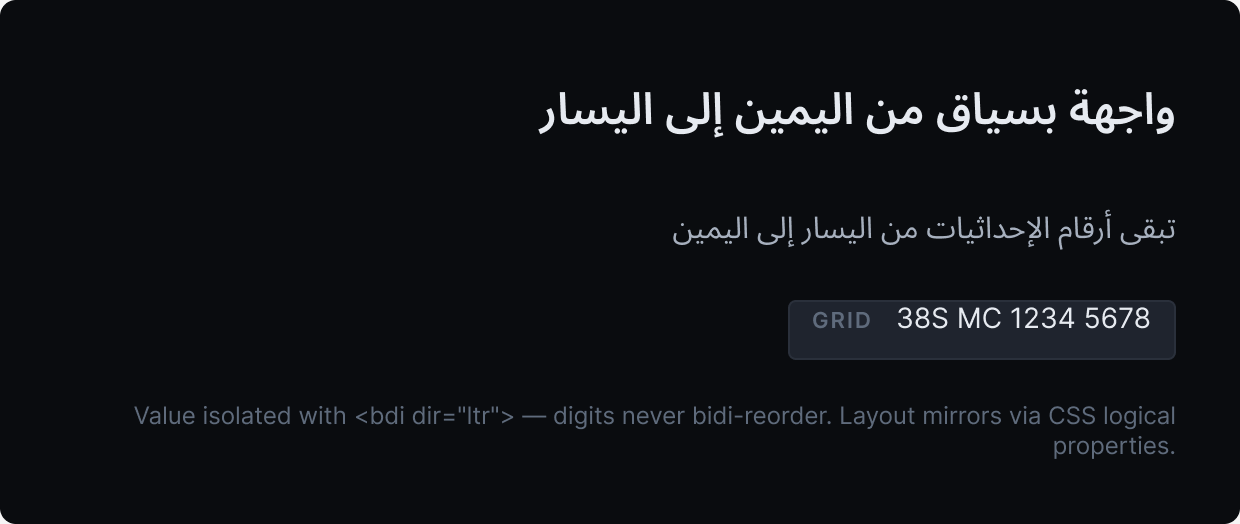
Coordinates and grid digits stay left-to-right via <bdi dir="ltr"> even in an Arabic (RTL) UI.